


 2 Player
 Action
 Adventure
 Basketball
 Bike
 Car
 Cooking
 Editor's Choice
 Fight
 Girl
 iO
 Kids
 Multiplayer
 No Ads
 Platform
 Puzzle
 Racing
 Retro
 Shooting
 Skill
 Soccer
 Sports
 Stickman
 Strategy
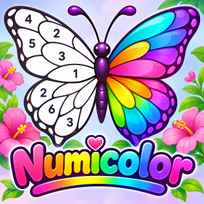


Numicolor is a calm way to turn black and white line art into finished pictures, one numbered area at a time. Every page hides a full color illustration, and the only rule is to match each number with its color. Numicolor is a free color by number puzzle you play in your browser. You pick a color from the palette, fill every area with its number, use hints when a small spot hides and slowly reveal cats, flowers, forests, food and fantasy scenes.
Main Controls
- Pick a color and fill an area: LEFT CLICK or TAP
- Move the picture: DRAG with the mouse or a finger
- Zoom in and out: MOUSE WHEEL
How It Works
Each page in Numicolor starts as a line drawing split into areas, and every area carries a number. A palette on the side of the screen holds the matching colors, also numbered. Pick color 1 and every area that needs it lights up with a checkered pattern, so you can see at once where to tap. Fill them all and color 1 leaves the palette, the next color moves to the top and the picture fills up step by step. A short tour on the first page, a cupcake with a cherry on top, walks you through choosing colors, filling areas, moving the picture and using hints.
Tiny areas are the hardest part of any color by number page, and Numicolor has tools for them. The hint button zooms straight to a random area you have not colored yet, and a reset button pulls the camera back to show the whole picture. Back in the library, pages are sorted into tabs such as Girls, Flowers, Cats, Forest, People, Animals, Nature, Travel, Food and Fantasy. A filter menu narrows the list by mode, difficulty, mood, color palette and art style, and your unfinished pages wait in the In progress tab.
- Choose a page from the library.
- Pick a color from the palette.
- Tap every highlighted area with the same number.
- Drag the picture and zoom in to reach small areas.
- Use the hint button if an area is hard to find.
- Work through the palette until every color is used.
- Admire the finished picture and start the next page.
What Makes It Stand Out
- Huge library: The filter menu counts 1018 pages to choose from.
- 3 modes: Classic, Reveal and Mystery pages sit side by side.
- Smart highlights: Picking a color marks every area that needs it.
- Hint button: It zooms to a missing area in one tap.
- Detailed filters: Sort pages by difficulty, mood, palette and art style.
- Reward Calendar: 7 days of daily rewards with hints, tickets and keys.
Getting Started
- Finish the first Numicolor page. The tour on the cupcake page explains every tool.
- Start with Easy pages. The filter menu has Easy, Medium and Hard levels.
- Zoom in on busy parts. Small areas are much easier to tap up close.
- Save your hints. Use them only when an area really refuses to show up.
Going Further
Numicolor has a small economy built around hints, tickets and keys. The Shop holds a Reward Calendar that pays out every day for 7 days, from hints on the first days to tickets and a key at the end of the week, and a streak of 7 days or more doubles the rewards. Extra hints can be converted into keys at a rate of 60 hints for 1 key, and keys open premium pages. Daily Bonus and Daily Pick pages appear at the top of the library, so checking in each day adds new pictures to color.
Mistakes Worth Avoiding
- Coloring zoomed out. Small areas are easy to miss on a full screen view.
- Using hints too early. The highlights already show most areas.
- Skipping the filters. They are the fastest way to find a page you will enjoy.
- Breaking the daily streak. The best calendar rewards come after 7 days.
Similar Coloring Games
If filling in pictures was the best part, Color Page ASMR is another relaxing coloring game with soothing pages. Sprunki Coloring Book brings the same idea to colorful characters. For a color puzzle of a different kind, Colorfle asks you to guess the right mix of colors. More picks are in Drawing Games.
Final Thoughts
The Numicolor game is a peaceful color by number puzzle with a big library and smart tools that keep it from ever feeling fiddly. Playing Numicolor online works on a computer with a mouse and on phones and tablets, where tapping and dragging feel natural. Players who want fast action will find it slow, but watching a line drawing turn into a full color picture is very satisfying.
FAQs About Numicolor
What is Numicolor?
Numicolor is a color by number puzzle game. You fill numbered areas of a line drawing with the matching colors from the palette until the full picture appears.
How to play Numicolor?
Click or tap a color in the palette, then tap every highlighted area with the same number. Drag the picture to move it, zoom in on small parts and use the hint button when an area is hard to find.
How many pages are in Numicolor?
The filter menu in Numicolor counts 1018 pages, sorted into themes like Cats, Flowers, Forest, People, Food and Fantasy, with Easy, Medium and Hard levels.
What are Classic, Reveal and Mystery modes in Numicolor?
They are the 3 page modes in Numicolor. You can pick one in the filter menu to show only Classic, Reveal or Mystery pages in the library.
How do hints and keys work in Numicolor?
The hint button zooms to an area you have not colored yet. Hints come from the daily Reward Calendar, and 60 hints can be converted into 1 key that opens premium pages.
Can I play Numicolor on mobile?
Yes. Numicolor runs in mobile browsers on phones and tablets, where you tap areas and drag the picture with your finger.