


 2 Player
 Action
 Adventure
 Basketball
 Bike
 Car
 Cooking
 Editor's Choice
 Fight
 Girl
 iO
 Kids
 Multiplayer
 No Ads
 Platform
 Puzzle
 Racing
 Retro
 Shooting
 Skill
 Soccer
 Sports
 Stickman
 Strategy
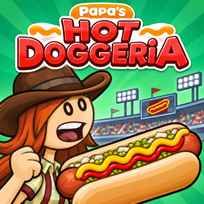


The story opens on a sign that reads Season Tickets Sold Out, so the only way into Griller Stadium on opening day is a job behind the counter. A poster promises "The best seats in the house", and a minute later Day 1 begins with your first customer waiting at the window. Papa's Hot Doggeria is a free hot dog cooking game you play in your browser. You take orders, grill hot dogs, add the right toppings, pour drinks and fill popcorn for a stadium full of hungry baseball fans.
Key Controls
- Take orders, switch stations and serve: LEFT CLICK
- Move hot dogs, buns and toppings: MOUSE drag
How It Works
Papa's Hot Doggeria, made by Flipline Studios, starts with a choice of 3 save slots and a worker: Taylor, Peggy or a custom worker you design yourself. Each order begins at the Order Station, where a customer reads out what they want and the ticket fills up: a sausage on a bun, toppings such as mustard and relish, a drink like Fizzo and a box of popcorn in the right size. Four buttons along the bottom move you between the Order, Grill, Build and Pop stations, and the tickets hang on a rail at the top so you can keep several orders going at once.
At the Grill Station you drag a raw hot dog onto the grill, where a timer dial counts the cooking. Each hot dog needs a flip about halfway through, and it is done when the dial reaches the green area. From there it goes into a bun and on to the Build Station for toppings, while the Pop Station handles drinks and popcorn. Finished orders go back to the customer at the Order Station.
- Pick a save slot, choose a worker and start Day 1.
- Click Take Order and read the ticket.
- Open the Grill Station and drag a raw hot dog onto the grill.
- Click the hot dog to flip it halfway through cooking.
- Drag it into a bun when the timer reaches the green area.
- Add the toppings at the Build Station and the drink and popcorn at the Pop Station.
- Serve the finished order to the customer.
What Makes It Stand Out
- Baseball stadium setting: The whole restaurant sits inside Griller Stadium, with fans cheering in the stands.
- 4 stations: Order, Grill, Build and Pop each handle one part of every meal.
- Grill timers: Every grill spot has its own dial, so you can cook several hot dogs at once.
- Popcorn and drinks: Drinks and popcorn come from a station of their own.
- Custom workers: Besides Taylor and Peggy, you can design your own worker.
- 3 save slots: Keep up to 3 separate games going.
Getting Started
- Read every ticket in Papa's Hot Doggeria twice. Toppings, drink and popcorn size all count.
- Flip at the halfway mark. The dial shows when each hot dog is ready to turn over.
- Start the grill first. Hot dogs take the longest, so fill the drink and popcorn while they cook.
- Watch the green area. Pull each hot dog off the grill as soon as the dial reaches it.
Going Further
Papa's Hot Doggeria gets busy fast. Before long there are several tickets on the rail and hot dogs on every part of the grill. The trick is to keep each station moving: start a new hot dog as soon as an order comes in, use the waiting time for toppings, drinks and popcorn, and switch back to the grill before the timers run past the green area. A good rhythm between the 4 stations is what turns a hectic day into a smooth one.
Mistakes Worth Avoiding
- Forgetting to flip. Every hot dog needs a turn halfway through cooking.
- Leaving the grill too long. Hot dogs keep cooking past the green area.
- Mixing up popcorn sizes. The ticket shows the size for every side.
- Ignoring the ticket rail. Older orders keep waiting while you work on new ones.
Similar Papa's Games
If grilling was the best part, Papa's Burgeria puts you in charge of burger patties with the same timers and flips. Papa's Freezeria moves the counter to a beach for sundaes, and Papa's Wingeria fries chicken wings with sauces and dips. For tacos built from scratch, Papa's Taco Mia keeps the same station by station rhythm. More picks are in Papa's Games.
Final Thoughts
The Papa's Hot Doggeria game is a busy and cheerful time management game with a baseball twist. Playing Papa's Hot Doggeria online works best on a computer with a mouse, since grilling and building orders is all drag and click, and it also runs in mobile browsers. Players who dislike fast multitasking may find the busy days hectic, but serving a perfect order to a stadium crowd feels great.
FAQs About Papa's Hot Doggeria
What is Papa's Hot Doggeria?
Papa's Hot Doggeria is a hot dog cooking game set inside a baseball stadium. You take orders, grill hot dogs, add toppings and serve drinks and popcorn to the fans.
How to play Papa's Hot Doggeria?
Use the MOUSE to take orders, switch stations and drag hot dogs, buns and toppings. Follow each ticket and serve the finished order back to the customer.
How do you cook hot dogs in Papa's Hot Doggeria?
Drag a raw hot dog onto the grill and watch its timer dial. Click it to flip it halfway through, then move it into a bun when the dial reaches the green area.
What are the stations in Papa's Hot Doggeria?
There are 4 stations: Order, Grill, Build and Pop. You take orders, cook hot dogs, add toppings and prepare drinks and popcorn at each of them.
Can you make your own worker in Papa's Hot Doggeria?
Yes. You can play as Taylor or Peggy, or design a custom worker of your own when you start a new game.
Can I play Papa's Hot Doggeria on mobile?
Yes. Papa's Hot Doggeria runs in mobile browsers on phones and tablets, but dragging hot dogs and toppings is easiest with a mouse on a computer.