


 2 Player
 Action
 Adventure
 Basketball
 Bike
 Car
 Cooking
 Editor's Choice
 Fight
 Girl
 iO
 Kids
 Multiplayer
 No Ads
 Platform
 Puzzle
 Racing
 Retro
 Shooting
 Skill
 Soccer
 Sports
 Stickman
 Strategy
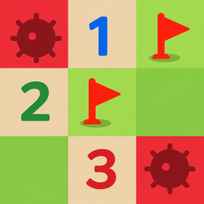


Most Minesweeper boards are squares. The one Google built into its search page is a rectangle, and on Hard it packs 99 mines into 480 tiles. Google Minesweeper is a free puzzle game you play in your browser. You open tiles one at a time, read the numbers they reveal and flag every mine until only safe ground is left.
Game Controls
- Reveal a tile: LEFT CLICK
- Flag a mine: RIGHT CLICK
How It Works
Google Minesweeper hides a fixed number of mines under a checkered grid of green tiles. Every safe tile you open shows a number from 1 to 8, and that number counts the mines touching it, diagonals included. A tile with no mines around it opens the empty area next to it automatically, so a lucky click can clear a big patch of the board at once.
The counter at the top of the board starts at the mine total for your difficulty, and a timer sits next to it. Easy gives you 10 mines on a 10 by 8 board, Medium 40 mines on 18 by 14, and Hard 99 mines on 24 by 20. You win by opening every tile that isn't a mine. Open a mine and the round ends on the spot.
- Pick Easy, Medium or Hard from the menu above the board.
- Open any tile with a left click to start the round.
- Read each number to count the mines around that tile.
- Flag a tile you have proven holds a mine with a right click.
- Open the tiles the numbers prove are safe.
- Keep going until every safe tile on the board is open.
What Makes It Stand Out
- Made by Google: Google built this version of Minesweeper and runs it from its own search results, with no install and no account.
- 3 fixed difficulties: Easy, Medium and Hard are the only settings, and there are no custom board sizes.
- Rectangular boards: The 3 boards measure 10 by 8, 18 by 14 and 24 by 20 tiles, so none of them is a square.
- Classic mine counts: Easy holds 10 mines, Medium 40 and Hard 99, the same totals as the 3 presets of the classic desktop version.
- A safe first click: The opening click of every round never lands on a mine.
- Mute and share buttons: A mute button turns the sound off, and a share button next to it sends the game to someone else.
Getting Started
- Start Google Minesweeper on Easy. Easy puts 10 mines into 80 tiles, so the numbers stay small while you learn to read them on a rectangular grid.
- Solve the 1s first. A 1 with only one covered tile beside it tells you exactly where a mine is, and that single flag often unlocks the tiles around it.
- Work along the edge of the open area. Only the numbers that border covered tiles give you new information, so the numbers deep inside the cleared space can be ignored.
- Flag only what you have proven. A wrong flag does not end the round, but it covers a safe tile you still have to open before you can win.
- Use the corners on Hard. A corner tile touches only 3 others, so a number there narrows the options faster than one in the middle of the board.
Going Further
Google Minesweeper gets harder through mine density, not only board size. Easy hides a mine under 1 in 8 tiles, Medium under about 1 in 6 and Hard under about 1 in 5, so the safe openings shrink every time you move up. The 1-2-1 pattern along a wall is worth learning on sight, because the mines always sit under the 1s at each end and never under the 2. Some boards can't be solved by logic alone, and when 2 covered tiles share exactly the same clues, the right move is to guess early instead of after minutes of careful work. Progress in Google Minesweeper is measured by the timer and nothing else, since there are no levels, unlocks or rewards to collect. That time isn't saved once the page is closed, so the real goal is beating your own clock in one sitting.
Mistakes Worth Avoiding
- Guessing late in the round. A forced guess carries the same risk at any point, but on Hard a late one can throw away several minutes of clean work.
- Forgetting the diagonals. Each number counts all 8 neighbors, so a mine sitting diagonally still adds to it.
- Flagging on a hunch. An unproven flag stays on the board and skews how you read every number around it.
- Jumping straight to Hard. Hard puts 99 mines on the board, nearly 10 times the Easy count, and the patterns come too fast to learn there.
- Clicking a random tile after a dead end. A tile in the middle of the covered area tells you nothing new, while a guess beside the open area can connect to the numbers you already have.
Similar Puzzle Games
If reading numbers to find the mines kept you hooked, Minesweeper is the next stop, a separate version of the classic with its own board to clear. Google Snake comes from the same family of games Google built into search, trading logic for quick turns as the snake grows longer. Pacman 30th Anniversary brings back the playable Doodle Google made for the arcade classic's 30th birthday, with mazes and ghosts in place of mines. More picks are in Puzzle Games.
Final Thoughts
The Google Minesweeper game is the cleanest way to play the classic: 3 boards, 2 mouse buttons and nothing to unlock. Playing Google Minesweeper online suits anyone who likes short logic puzzles with a clear finish. Players who want custom boards, saved records or a reason to return beyond the timer will find it thin.
FAQs About Google Minesweeper
What is Google Minesweeper?
Google Minesweeper is a single player logic puzzle that Google built into its search results. Players open tiles on a grid, use the numbers to locate hidden mines and win by revealing every safe tile.
How to play Google Minesweeper?
Left click a tile to open it and right click a tile to flag a mine. Each number shows how many mines touch that tile, and the round is won when every safe tile is open.
How many mines are in Google Minesweeper?
Google Minesweeper has 10 mines on Easy, 40 on Medium and 99 on Hard. The counter at the top of the board shows that total when a round starts.
Can I play Google Minesweeper on mobile?
No. Google Minesweeper on this page is made for desktop browsers, where tiles are opened with the left mouse button and flagged with the right.
Is the first click safe in Google Minesweeper?
Yes. The first tile opened in Google Minesweeper never contains a mine, so every round starts with a safe reveal.
Does Google Minesweeper save your best time?
No. Google Minesweeper shows a timer during the round but does not keep a record of past times after the page is closed.