


 2 Player
 Action
 Adventure
 Basketball
 Bike
Bike Car
Car Cooking
 Editor's Choice
 Fight
Fight Girl
Girl iO
iO Kids
Kids Multiplayer
 No Ads
 Platform
 Puzzle
 Racing
 Retro
Retro Shooting
 Skill
Skill Soccer
 Sports
 Stickman
 Strategy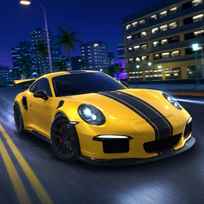


Nitro Speed 2 Underground brings street racing into a neon-lit open city. Drive between events, stop at marked participation points to enter races, and search the streets for extra driving challenges. Choose With Traffic mode for busier roads or No Traffic mode for cleaner racing lines, drifting practice, and uninterrupted exploration.
Key Controls
- Drive and steer: W,A,S,D or ARROW KEYS
- Handbrake: SPACE
- Reset the car: Q
- Switch headlights on or off: U
- Toggle ABS: T
- Toggle ESP: Y
- Use the horn: H
- Pause: P
Overview
Nitro Speed 2 Underground game is a 3D driving and street-racing experience built around tuner cars, rapid acceleration, drifting, and free exploration. Races take place inside the city rather than through a separate event menu. Find a race marker, stop within its participation area, and enter the event when you are ready. Clean braking and strong corner exits are often more valuable than approaching every turn at maximum speed.
The city also contains activities beyond standard races. Some challenges ask you to pass through marked points while maintaining a required speed. Others direct you toward ramps and measure how far the vehicle travels through the air. These events reward good preparation, a straight approach, enough momentum, and a stable landing.
The garage contains 24 vehicles, including sports cars, high-performance supercars, and classic drift cars. Each model can differ in acceleration, grip, stability, top speed, and slide response. You can improve performance by upgrading the engine, suspension, transmission, tyres, and nitro system. These changes allow you to prepare a vehicle for faster races, longer drifts, or more demanding speed and jump challenges.
Detailed tuning options give you further control over the handling. Adjust tyre camber and suspension height to change the vehicle's stance and road behavior. A lower setup may feel more planted, while different camber settings can affect how the car responds during turns and slides. You can also personalize the visual design by painting the body and choosing a separate color for the rims.
ABS supports controlled braking, while ESP helps keep the vehicle stable. Leaving both systems enabled makes powerful cars easier to manage. Experienced drivers can switch them off for looser handling, longer slides, and a more demanding driving experience.
Key Features
- Open-city races entered through marked participation points
- Speed checkpoint and ramp-distance challenges
- With Traffic and No Traffic driving modes
- 24 sports, super sports, and classic drift cars
- Engine, suspension, transmission, tyre, and nitro upgrades
- Adjustable tyre camber and suspension height
- Custom body paint and rim colors
- Handbrake drifting with adjustable ABS and ESP assists
- Neon night roads for racing, exploration, and practice
Beginner Tips
- Use No Traffic mode while learning the city and testing a new vehicle.
- Brake before entering a corner, then accelerate toward the exit.
- Keep ABS and ESP enabled until the handling feels predictable.
- Upgrade the engine and transmission gradually rather than adding too much power at once.
- Study the approach before attempting a speed or jump challenge.
Advanced Tips
- Learn event locations so you can move between activities more efficiently.
- Save nitro for overtakes, long straights, and speed checkpoints.
- Use short, controlled slides to retain more exit speed.
- Adjust camber and suspension height to match grip-focused or drift-focused driving.
- Balance engine power with tyre, suspension, and transmission upgrades.
- Test ABS and ESP separately to understand how each system affects the car.
Common Mistakes
- Driving through a race marker without stopping may prevent the event from starting.
- Using nitro before a sharp corner often results in lost control.
- Entering a ramp from a poor angle reduces both distance and landing stability.
- Increasing engine power without improving tyres or suspension can make handling worse.
- Using extreme camber or suspension settings without testing them may reduce control.
- Disabling every driving assist at once can make powerful cars difficult to manage.
Conclusion
Nitro Speed 2 Underground works as an open-city racing playground rather than a simple list of events. Driving to races gives the map a purpose, while speed targets, ramp challenges, traffic settings, detailed tuning, and a 24-car garage add variety. Performance upgrades and visual customization also let you turn each vehicle into a grip-focused racer, powerful supercar, or stylish drift machine.
Most Popular Car Games
Continue racing through busy streets in Racing in City, which focuses on traffic driving and detailed cockpit views. Mega Lamba Ramp shifts the action toward enormous jumps and aerial stunts, while Madalin Stunt Cars 3 opens up large maps full of ramps and loops to explore.
FAQs About Nitro Speed 2 Underground
What is Nitro Speed 2 Underground?
Nitro Speed 2 Underground is a 3D street-racing experience where you explore a night city, enter races, complete driving challenges, customize vehicles, and unlock a collection of performance cars.
How do I play Nitro Speed 2 Underground?
Drive around the city, follow event markers, and stop at a participation point to join a race. You can also attempt speed checkpoints, ramp challenges, practice drifting, or explore freely.
How do I join a race?
Find a race marker, enter its highlighted area, and bring the vehicle to a stop. The race participation option will then become available.
What challenges are available?
Challenges include crossing marked points at a required speed and using ramps to reach a target distance in the air. Different vehicles and upgrades may perform better in each activity.
How many cars are available?
The garage contains 24 vehicles, ranging from sports and super sports cars to classic drift models with different performance and handling characteristics.
Can you customize cars in Nitro Speed 2 Underground?
Yes. You can upgrade the engine, suspension, transmission, tyres, and nitro. You can also adjust tyre camber and suspension height, paint the body, and choose a different color for the rims.
What is the difference between the traffic modes?
With Traffic mode adds vehicles to the streets and creates less predictable driving conditions. No Traffic mode provides clearer roads for racing lines, drifting, speed tests, and practice.
What do ABS and ESP do?
ABS helps maintain control while braking, and ESP supports vehicle stability. Turning them off allows looser movement and longer drifts, but also makes the car harder to control.