




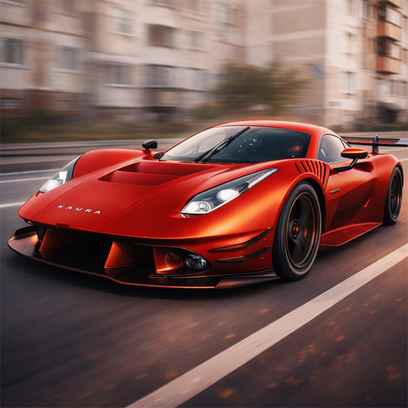


Police Traffic Racer puts you behind the wheel of a high-speed patrol car and turns ordinary highway traffic into a constant reaction test. The road looks simple at first, but once cars start stacking across lanes and your speed rises, every overtake becomes a small decision. Do you stay safe and keep a clean run, or use nitro to squeeze through a gap and push your score higher? That balance between control and risk is what makes each session so replayable.
Key Controls
- Drive / Steer / Brake: W,A,S,D or ARROW KEYS
- Nitro: F
- Camera Change: C
Game Overview
The Police Traffic Racer game is a 3D arcade driving experience focused on speed, traffic weaving, and score chasing. Instead of racing against a fixed group of opponents, you are racing against road density, your own reaction time, and the temptation to push too hard. As your run continues, traffic patterns become harder to read, and the game starts rewarding calm lane changes more than reckless swerves.
One of the strongest parts of the experience is how it mixes accessible controls with meaningful progression. You can choose from multiple police vehicles and drive through different environments, while game modes change the rhythm of the run. One-way traffic gives you room to learn the basics, two-way traffic adds much more danger, and time-based modes create a faster, more aggressive style where every second matters. That variety keeps the game from feeling repetitive, even when the core idea stays simple.
Nitro adds another layer of decision-making. It is tempting to use it the moment it becomes available, but the best runs come from timing it for long openings or clean overtakes. Used well, nitro helps you build momentum and score faster. Used badly, it launches you into a bad lane choice. That is why improvement feels satisfying here. You are not only getting faster,but you are also getting smarter with speed.
Key Features
- Fast 3D police driving: High-speed highway runs with smooth arcade handling and constant traffic pressure.
- Multiple game modes: Different mode types change the pacing and how aggressively you should drive.
- Nitro boost system: Burst forward to overtake traffic and build score when the road opens up.
- Vehicle selection and progression: Unlock or choose different police cars and keep improving your runs.
- Replayable score chase: Quick sessions with immediate restarts make it easy to beat your best record.
Tips for Beginners
- Start with clean driving: A stable run teaches traffic patterns better than forcing risky overtakes early.
- Use the center lane smartly: It often gives you more escape options when traffic suddenly closes in.
- Save nitro for straight openings: Boosting into a crowded section usually creates avoidable crashes.
- Change camera if needed: Use the view that helps you judge gaps most clearly.
Advanced Tips
- Read traffic two cars ahead: Focus beyond the nearest vehicle so you can prepare lane changes earlier.
- Chain safe overtakes: Consistent near passes build better runs than one huge gamble.
- Use nitro as a positioning tool: It is not only for speed; it can help you clear a dangerous cluster before it closes.
- Match your style to the mode: Two-way traffic rewards patience, while timed modes often reward decisive pushes.
Common Mistakes
- Nitro panic use: Boosting because traffic feels scary usually makes the situation worse.
- Late lane changes: Waiting too long forces sharp turns and causes side collisions.
- Staring at one car: Tunnel vision makes you miss openings and threats in nearby lanes.
- Overcorrecting steering: Quick left-right movements can turn a small mistake into a crash.
Final Thoughts
Police Traffic Racer is a strong pick if you enjoy speed, clean overtakes, and score-focused driving. It is easy to understand in the first minute, but it keeps you improving through smarter lane reading, better nitro timing, and sharper control. If you want a police-themed highway racer that feels intense without being complicated.
More Games Like This
If you want more police driving action after this run, try pursuit-style road pressure in Police Chase Simulator, practice stylish slides and jumps in Police Drift and Stunt, or go for a broader patrol-driving experience in Police Car Simulator.
FAQs About Police Traffic Racer
What is Police Traffic Racer?
Police Traffic Racer is a 3D arcade driving game where you control a police car, weave through busy highway traffic, use nitro boosts, and try to build the highest score possible across different modes.
How to play Police Traffic Racer?
Steer and drive with W,A,S,D or ARROW KEYS, use F for nitro, and press C to change the camera view. Avoid crashes, pass traffic cleanly, and keep your run alive to increase your score.
Which mode is best for beginners?
A one-way traffic mode is usually the easiest place to start because it gives you more predictable lanes and more time to learn how the car reacts at high speed.
When should I use nitro for the best results?
Use nitro on straighter sections or when you already see a clear path ahead. Saving it for clean openings is safer and usually leads to longer, higher-scoring runs.
Is Police Traffic Racer free to play online?
Yes, you can launch it in your browser on Rocket Games and start driving right away, which makes it a great option for quick sessions when you want fast arcade racing without setup.