


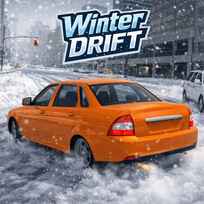




Winter Drift on the Priora drops you into a snowy city where every corner begs for a clean slide. You drive a Lada Priora through bright winter streets, weave around traffic, and try to keep control while the road feels slick and unpredictable. It is a free-roam style drift experience, so the real challenge is not finishing a race, it is building smooth momentum, avoiding mistakes, and stacking satisfying drifts without crashing out.
Key Controls
- Move: W, A, S, D or ARROW KEYS
- Nitro: F
- Handbrake: SPACE
- Change camera: C
- Slowmotion: G
- Left-Right Indicators: Q - E
Game Overview
The Winter Drift on the Priora game is built around one idea: learn the city, then make it your drift route. You can cruise through endless roads, pick your own lines, and chase that perfect balance between speed and control. Traffic adds pressure because even a small bump can ruin your angle and end a long drift chain. That makes every overtake feel meaningful, especially when you slide through a turn and still thread past cars safely.
One of the best parts is how much control you get over the experience. You can choose between three maps, switching the atmosphere from Blizzard to Sunset or Night, and you can even toggle traffic or snow on and off depending on whether you want a clean practice session or a chaotic challenge. On top of that, three driving modes let you shape the handling to your style. Comfort feels smoother and safer, Sport is sharper for faster lines, and Drift is built for long slides and big angles.
Handbrake drifting is the heart of the gameplay. Tap SPACE to break traction, steer into the slide, then recover smoothly so you do not lose all your speed. When the road opens up, nitro gives you extra punch, but the smartest boosts happen after you have stabilized the car. If you boost into a messy corner, you usually pay for it with a spin or a collision.
Progress is also tied to your garage, and customization is not locked behind a paywall-style step. In the garage, you can freely tune and style your Priora by painting the body, adjusting tire settings, and adding a spoiler for a more aggressive look. You can also upgrade performance areas such as the engine, steering, and braking, which helps the car feel more stable when you push speed on slick roads. Camera changes are part of the flow as well. Switching views with C makes it easier to judge distance in traffic, and slow motion can help you save a drift when the car is about to snap the wrong way.
Key Features
- Winter city drifting: Slide through snowy streets with a physics feel that rewards clean control.
- Three maps to master: Switch between Blizzard, Sunset, and Night for different visibility and vibe.
- Traffic and snow toggles: Turn traffic or snow on and off to practice safely or raise the difficulty.
- Three driving modes: Comfort, Sport, and Drift let you choose how the car behaves on corners.
- Free garage customization: Paint the car, tweak tires, add a spoiler, and upgrade engine, steering, and braking.
Tips for Beginners
- Start in Comfort mode: It is easier to keep control while you learn how the Priora reacts on slippery turns.
- Practice without traffic: Turning traffic off helps you learn drift angles before you add real pressure.
- Handbrake in short taps: Small SPACE taps help you rotate without turning the drift into a full spin.
- Boost after you recover: Use F once the car is straight so nitro adds speed instead of chaos.
Advanced Tips
- Link corners in Drift mode: Long slides get easier when you set up the next turn early and avoid sharp steering snaps.
- Use slow motion as a rescue: Hit G when you feel the rear snapping too hard, then correct and continue the drift.
- Upgrade braking for tighter lines: Better stopping control helps you enter corners cleaner without panic turning.
- Pick the right camera: Switch with C before busy areas so you can read traffic spacing earlier.
Common Mistakes
- Boosting mid-slide: Nitro during a drift often breaks your line and sends you into the curb.
- Oversteering: Sharp corrections make the car swing too far and kill stability on icy turns.
- Jumping straight into Drift mode: If you are not ready, it can feel too loose and lead to spins, especially with traffic on.
- Ignoring tire settings: Small tire adjustments can noticeably change grip and make drifting more predictable.
FAQ
What is Winter Drift on the Priora?
Winter Drift on the Priora is a 3D drifting simulator where you drive a Priora through winter city roads, build long slides, and tune the car to match your style across multiple maps and modes.
How to play Winter Drift on the Priora?
Steer with WASD or the arrow keys, use SPACE for the handbrake to start drifts, and press F for nitro when the car is stable. Change the camera with C and use G for slow motion when you need a last-second save.
What are the maps in the game?
There are three map styles: Blizzard for harsh winter visibility, Sunset for warmer lighting, and Night for a darker city drift vibe.
What do Comfort, Sport, and Drift modes change?
Comfort is smoother for safer driving, Sport feels sharper and more responsive, and Drift is tuned for easier sliding and longer drift chains.
Is Winter Drift on the Priora free to play online?
You can start driving on Rocket Games right away, so you can test maps, tune your setup in the garage, and chase cleaner drifts without needing a purchase to begin.
Final Thoughts
Winter Drift on the Priora is all about vibe and control. The city gives you endless roads, traffic adds real tension, and the extra settings let you shape the experience to your mood. Switch maps, toggle traffic, tune the Priora, and see how clean your drift lines can get as you improve.
More Games Like This
If you want more drifting with different handling styles, you can sharpen your tuning and technique in Drift Hunters, chase more realistic slides in Unreal Drift, or switch to quick one-button timing challenges in Drift Boss.