


 2 Player
 Action
 Adventure
 Basketball
 Bike
Bike Car
Car Cooking
 Editor's Choice
 Fight
Fight Girl
Girl iO
iO Kids
Kids Multiplayer
 No Ads
 Platform
 Puzzle
 Racing
 Retro
Retro Shooting
 Skill
Skill Soccer
 Sports
 Stickman
 Strategy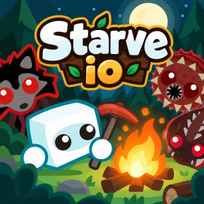


The bottom of the screen holds 4 bars, and any one of them can end your run: health, hunger, temperature and thirst. Starve.io is a free multiplayer survival game you play in your browser. You punch trees for wood, craft tools and campfires, and keep yourself fed, warm and watered while animals and other players try to finish you off.
Key Controls
- Move: W, A, S, D or ARROW KEYS
- Hit and gather: LEFT MOUSE BUTTON
- Throw an item from your inventory: RIGHT MOUSE BUTTON
- Add items to a nearby chest, 10 at a time: SHIFT + LEFT MOUSE BUTTON
- Auto-feed: R
- Map: Y
- Chat: ENTER
How It Works
Starve.io drops you into the Forest with your fists, a campfire and a pie in your inventory. Trees give wood, bushes give berries, and wood turns into tools such as a pickaxe, which you need before stone will come loose. The recipe book at the top right has 6 tabs, including tools, weapons, hats, food and buildings.
The 4 survival bars are the real clock. Hunger falls until you eat, a campfire keeps the temperature bar up, and thirst means finding water. The map holds 5 biomes, Forest, Winter, Ocean, Lava and Desert, and the ones past the Forest hold better resources along with tougher animals. A leaderboard at the top right lists the 10 best scores on the server.
- Pick Normal Mode, type a nickname and press PLAY.
- Hit trees with the left mouse button to collect wood.
- Hit berry bushes to collect food.
- Open the recipe book and craft a pickaxe from your wood.
- Mine stone from rocks with the pickaxe.
- Click the campfire in your inventory to place it when you get cold.
- Press R to turn on auto-feed.
What Makes It Stand Out
- 4 survival bars. Health, hunger, temperature and thirst all have to stay up.
- 6 modes. Normal, Forest, Community, Zombie, Vampire and Experimental sit on the start menu.
- 5 biomes. The map splits into Forest, Winter, Ocean, Lava and Desert.
- A recipe book. Its 6 tabs include tools, weapons, hats, food and buildings.
- Chests for storage. Shift and a click near a chest adds items 10 at a time.
- Starter kits. Logged in players can spend points on kits priced from 1K to 20K.
Getting Started
- Craft a pickaxe first in Starve.io. Stone won't come loose without one, and your fists are the only tool you start with.
- Save the campfire for when you need it. You spawn with one in slot 1, and it's your first answer to a falling temperature bar.
- Turn on auto-feed with R. You won't have to click food every time the hunger bar slips.
- Find water early. In the Forest, water sits mostly in lakes, and other players often camp them.
Going Further
Starve.io gets harder the farther you go from the spawn. The Forest is the warmest biome and has the weakest animals, but it lacks top resources such as diamonds and amethysts, so better gear means leaving it. Winter is the obvious test: polar bears and arctic foxes live there, and the Winter Dragon's cave sits in the snow. Chests change how a long run plays, because Shift and a click stores items 10 at a time instead of crowding your 10 inventory slots. Starter kits are the progression outside a single run: logging in unlocks them, and they cost points, from 1K for the cheapest to 20K for the most expensive.
Mistakes Worth Avoiding
- Wandering far without a fire. The temperature bar is one of the 4 bars that can end your run.
- Ignoring the thirst bar. Water in the Forest sits mostly in lakes that other players camp.
- Picking fights with bare fists. You start with no weapon, and animals and players hit back.
- Heading into Winter too early. Polar bears and arctic foxes live there, and the Forest is the warmest biome you'll find.
Similar iO Games
If fighting other players was the best part, Kugeln.io puts you in Death Match, Team Death Match and Capture The Flag with a grapnel on right click. If you liked growing from nothing, Crowd City.io starts you alone in a city and grows your crowd as you recruit people. For gathering with a different shape, DigDig.io has you mine minerals with a digging machine to grow bigger than other players. More in iO Games.
Final Thoughts
The Starve.io game is a slow, stubborn survival sandbox where a full stomach is never enough. Skip it if you want quick rounds or a game without constant upkeep. Play Starve.io online in Normal Mode, get a pickaxe and a fire going, and you'll know fast if keeping 4 bars alive is your kind of challenge.
FAQs About Starve.io
What is Starve.io?
Starve.io is a multiplayer survival game made by LapaMauve and released in 2017. Players gather resources, craft tools and campfires, and keep their health, hunger, temperature and thirst bars from running out.
How to play Starve.io?
Move with W, A, S, D or the arrow keys and hit with the left mouse button. Gather wood, stone and berries, craft items from the recipe book, and keep all 4 survival bars up.
Is food the only thing you need in Starve.io?
No. Starve.io has 4 bars to watch: health, hunger, temperature and thirst. A campfire keeps you warm, and water keeps the thirst bar up.
How many modes does Starve.io have?
Starve.io has 6 modes: Normal, Forest, Community, Zombie, Vampire and Experimental. All 6 are picked from the start menu.
How do you get starter kits in Starve.io?
Starter kits in Starve.io unlock when you log in with Google or Facebook. Each kit costs points, from 1K to 20K.
How do you get stone in Starve.io?
Stone in Starve.io is mined from rocks with a pickaxe. Craft a pickaxe from wood in the recipe book first, because fists can't break stone.
Can I play Starve.io on mobile?
No. Starve.io is built for a desktop browser with a keyboard and mouse, and the game has no touch controls.