


 2 Player
 Action
 Adventure
 Basketball
 Bike
 Car
 Cooking
 Editor's Choice
 Fight
 Girl
 iO
 Kids
 Multiplayer
 No Ads
 Platform
 Puzzle
 Racing
 Retro
 Shooting
 Skill
 Soccer
 Sports
 Stickman
 Strategy
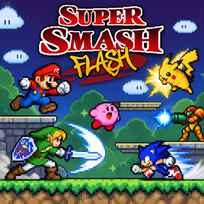


Nobody in this fight has a health bar. Every hit raises a damage percent under your fighter, and the higher it climbs, the farther the next hit sends you flying off the stage. Super Smash Flash is a free platform fighting game you play in your browser. You pick a pixel fighter, battle on floating platforms and try to knock every rival off the screen before you run out of lives.
Game Controls
1 Player Mode
- Move: ARROW KEYS
- Jump: O
- Attack: P
- Pause: BACKSPACE
- Menus and fighter select: LEFT CLICK
2 Player Mode
Player 1
- Move: ARROW KEYS
- Jump: O
- Attack: P
Player 2
- Move: W / A / S / D
- Jump: G
- Attack: F
How It Works
Super Smash Flash first asks for a user name, because the game saves your progress on your computer. 1P Mode splits into Regular Match, Stadium and Training, with Classic and Adventure under Regular Match, and VS. Mode sets up matches against other fighters. Classic carries the simple goal of defeating each foe to advance: you drag the red P1 token onto a portrait, set the difficulty and the number of lives, which starts at 3, and click GO! At the start, 13 fighters from classic console games are open, while the rest of the grid hides behind question marks until you unlock them.
A match runs on a 5 minute clock. Each fighter's portrait at the bottom shows the remaining lives and a damage percent that starts at 0%. You fall off the stage when a strong hit lands at high damage, and losing every life ends your run. When a stage is cleared, a Complete! screen adds up your score with bonuses such as Level Clear for 5000 points.
- Type a user name and press Enter to create your save.
- Click 1P Mode, then Regular Match and Classic.
- Drag the P1 token onto a fighter and pick the difficulty.
- Click GO! and then click to begin the match.
- Move with the ARROW KEYS, jump with O and attack with P.
- Raise your rival's damage percent and knock them off the stage.
- Win each match to move on to the next foe.
What Makes It Stand Out
- Damage percent system: Hits push fighters farther as their percent rises, so any match can turn with one blow.
- 2 players on 1 keyboard: VS. Mode lets a friend join with W, A, S and D, G and F.
- Several single player modes: Classic, Adventure, Stadium and Training each give a different kind of challenge.
- Unlockable fighters: Question mark slots on the select screen fill in as you keep playing.
- Score bonuses: The results screen rewards style with bonuses such as Smash Maniac and Full Power.
- Saved progress: Your user name keeps unlocks and records between visits.
Getting Started
- Allow local storage before your first Super Smash Flash match. The game needs about 10 KB to save, and your name appears on screen when it works.
- Warm up in Training. A match with no pressure is the best place to learn how far each attack sends a rival.
- Stay near the middle of the stage. The closer you are to an edge, the easier it is to get knocked off.
- Start Classic on Normal. The difficulty arrows next to GO! let you lower or raise the challenge later.
Going Further
Super Smash Flash rewards patience more than button mashing. A rival at low damage barely moves when hit, so early in a match the goal is to raise their percent with safe attacks while keeping your own number low. Once a rival passes a high percent, a single well timed attack near the edge can end a life. Jumping back toward the platforms after a strong hit is just as important, because a fall costs you a life even if you were winning. Stadium adds challenges such as Target Test and Multi Man Melee, and fans who want more can try Super Smash Flash 2, the larger reboot by McLeodGaming that followed this 2006 original.
Mistakes Worth Avoiding
- Fighting at the edge. One strong hit there sends you off the stage.
- Mashing attack at low percent. Early hits do little knockback, so spacing matters more.
- Ignoring your own damage. A high percent means the next hit could be your last.
- Skipping the user name step. Without local storage, your unlocks and records are lost.
Similar Fight Games
If knocking rivals off a stage was the best part, Gun Mayhem 2 swaps punches for weapons in the same kind of platform brawl. 2 Player Battle throws you and a friend into quick one on one mini games. For a fighting game with a story to follow, Fighter Legends Duo adds a career mode next to its 2 player mode. Sonic, one of the fighters on the roster, also stars in Ultimate Flash Sonic, a classic Flash platformer built around his speed. More picks are in Fight Games.
Final Thoughts
The Super Smash Flash game is a fan made classic of browser fighting, with simple keys, big knockback and a roster full of familiar pixel heroes. Playing Super Smash Flash online works best on a computer with a keyboard, especially for 2 player matches on the same keyboard. Players who want deep combos and online play will find this 2006 original simple compared with modern fighters.
FAQs About Super Smash Flash
What is Super Smash Flash?
Super Smash Flash is a fan made platform fighting game first released in 2006. You raise a rival's damage percent and knock them off the stage before you run out of lives.
How to play Super Smash Flash?
Player 1 moves with the ARROW KEYS, jumps with O and attacks with P. Raise your rival's damage percent, then land a strong hit to knock them off the stage.
Can 2 players play Super Smash Flash?
Yes. In VS. Mode, Player 1 uses the ARROW KEYS, O and P, while Player 2 moves with W, A, S and D, jumps with G and attacks with F on the same keyboard.
How do you unlock characters in Super Smash Flash?
Super Smash Flash starts with 13 fighters open, and the question mark slots on the select screen unlock as you keep playing the single player modes.
Why does Super Smash Flash ask for a user name?
Super Smash Flash saves your progress in local storage under your user name. If your name appears on the next screen, saving works and your unlocks will be kept.
Can I play Super Smash Flash on mobile?
No. Super Smash Flash only works on a computer, because moving, jumping and attacking all need a keyboard, and the game has no touch controls.