


 2 Player
 Action
 Adventure
 Basketball
 Bike
 Car
 Cooking
 Editor's Choice
 Fight
 Girl
 iO
 Kids
 Multiplayer
 No Ads
 Platform
 Puzzle
 Racing
 Retro
 Shooting
 Skill
 Soccer
 Sports
 Stickman
 Strategy
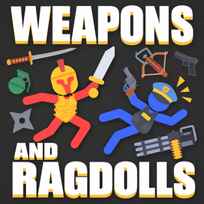


The first screen points a big "YOU" at a tiny stickman, and then hands you a floating cleaver instead of a sword arm. Your hand is the mouse, and the blade goes wherever it goes. Weapons and Ragdolls is a free stickman fighting game you play in your browser. You swing melee weapons with the mouse, aim and fire guns and explosives, slow down time to dodge, and upgrade your arsenal between randomly generated battles that keep getting harder.
Key Controls
- Move the melee weapon: Mouse
- Aim and shoot: hold and release Left Click
- Slow motion: hold Right Click
How It Works
Weapons and Ragdolls is built on physics, not animations. Your stickman and every enemy are ragdolls, so a hit knocks bodies around depending on where and how hard it lands. The first fight teaches the basics in a single line at the bottom of the screen: drag the mouse to hit enemies. The weapon trails your cursor through the air, and swinging the mouse through an enemy is the attack.
From there the battles are randomly generated and the difficulty climbs with each one. The arsenal covers swords and other blades, firearms and explosives, and ranged weapons work differently from melee: hold the left mouse button to aim, then release it to shoot. Holding the right mouse button slows time, which buys a moment to dodge incoming attacks. Between fights you upgrade your weapons, so the Weapons and Ragdolls game keeps pace with the tougher enemies it sends next.
- Click to start and watch for the stickman marked YOU.
- Move the mouse to swing your melee weapon through an enemy.
- Hold LEFT MOUSE to aim a ranged weapon and release to fire.
- Hold RIGHT MOUSE to slow time when attacks come in.
- Clear the enemies in the battle.
- Upgrade your arsenal before the next fight.
- Take on the next randomly generated battle.
What Makes It Stand Out
- 3 controls, all on the mouse. Movement of the weapon, shooting and slow motion never leave your hand.
- 2 ways to attack. Melee weapons follow the cursor, while ranged weapons use a hold-and-release shot.
- Slow motion on demand. Holding the right button slows the whole battle for a dodge.
- Randomly generated battles. Every fight is built fresh, so there is no layout to memorize.
- Ragdoll physics on every hit. Bodies fold, spin and fly based on the strike.
- An upgradeable arsenal. Your weapons improve as you progress.
Getting Started
- Swing through enemies, not at them. Weapons and Ragdolls runs every hit through its physics, so a fast pass through the body lands harder than a slow push.
- Use slow motion before you need it. Holding the right button as an attack starts gives you time to read it, rather than reacting after it lands.
- Release ranged shots on purpose. The shot leaves when you let go of the left button, so line it up before releasing.
- Spend upgrades on the weapon you actually use. A stronger favorite pays off in every fight.
Going Further
The fastest way to survive later battles in Weapons and Ragdolls is to treat slow motion as a planning tool rather than a panic button. Randomly generated fights mean you can't memorize a layout, so the seconds slow motion buys are where you decide whether to close in with a blade or stay back with a gun. Upgrades are the progression, and focusing them on a small set of weapons matters more as the difficulty climbs. Explosives earn their place when enemies bunch up, while blades suit the moments when a single enemy gets close.
Mistakes Worth Avoiding
- Slow, careful swings. A melee weapon needs speed to hit hard.
- Releasing the shot too early. The bullet goes where the aim was at release.
- Saving slow motion for emergencies. It works best before the hit, not after.
- Spreading upgrades too thin. Tougher battles reward a strong main weapon.
Similar Stickman Games
If landing hits with ragdoll physics was the best part, Ragdoll Hit Stickman runs stickman battles across levels with tougher opponents and new weapons. For a straight fighting game, Stickman Kombat 2D trades the physics chaos for combos and special moves, with a tower to climb alone or a friend to face in 2-player battles. And if the wobbly fights were the fun, MechaStick Fighter puts ragdoll robots in a small arena where one hit can swing the whole round, solo or with a second player. More in Stickman Games.
Final Thoughts
This is a physics toy with a fight attached: the fun is in how bodies fly when a well-timed swing lands. Skip it if you want precise platforming, a story or full control of your character. Play Weapons and Ragdolls online for a few battles and the slow-motion dodge will tell you quickly whether it clicks.
FAQs About Weapons and Ragdolls
What is Weapons and Ragdolls?
Weapons and Ragdolls is a 2D stickman action game by Isotronic with ragdoll physics. Players fight randomly generated battles with swords, firearms and explosives, and upgrade their arsenal as the difficulty rises.
How to play Weapons and Ragdolls?
Move the mouse to swing your melee weapon, hold and release the left mouse button to aim and shoot, and hold the right mouse button for slow motion. Defeat the enemies in each battle and upgrade between fights.
Do you control the stickman directly in Weapons and Ragdolls?
No. In Weapons and Ragdolls the mouse controls your weapon, and the weapon follows the cursor. Attacks come from moving the mouse through enemies or from aiming and releasing a shot.
What weapons are in Weapons and Ragdolls?
Weapons and Ragdolls includes melee weapons such as swords and blades, firearms, and explosives. The arsenal can be upgraded as you progress.
How does slow motion work in Weapons and Ragdolls?
Holding the right mouse button in Weapons and Ragdolls slows down time. It is used to dodge attacks and line up the next move.
How do you get stronger in Weapons and Ragdolls?
Players get stronger in Weapons and Ragdolls by upgrading their arsenal between battles. Upgrades help keep up with enemies that get tougher in each new fight.
Can I play Weapons and Ragdolls on mobile?
Yes. Weapons and Ragdolls runs in mobile and tablet browsers and is played in landscape orientation. Isotronic also publishes the game as a separate Android app.