


 2 Player
 Action
 Adventure
 Basketball
 Bike
 Car
 Cooking
 Editor's Choice
 Fight
 Girl
 iO
 Kids
 Multiplayer
 No Ads
 Platform
 Puzzle
 Racing
 Retro
 Shooting
 Skill
 Soccer
 Sports
 Stickman
 Strategy
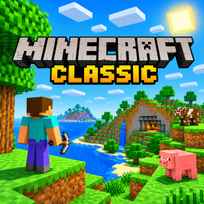


Minecraft Classic is the block building game in its simplest form: a browser version of the creative mode that started the series, rebuilt by Mojang in 2019 for its 10th anniversary. You walk a generated world, break blocks and stack new ones from a palette of 32, with no mobs, no hunger and no crafting to get in the way. It is a pure sandbox, so the only goal is whatever you decide to build.
Game Controls
- Move and jump: W, A, S, D and Space
- Look around: Mouse
- Break and place blocks: Left Click and Right Click
- Pick blocks: B or Mouse Wheel
- Save and load location: Enter and R
- Fog, chat and game menu: F, T and Esc
How It Works
Minecraft Classic gives you a fresh world of rolling hills and scattered trees and leaves the rest to you. We started by digging into the nearest hill with a left click and stacking a small tower with the right, and the rhythm sets in quickly: pick a block, place it, step back and look. A hotbar of 9 slots along the bottom holds the blocks you are building with, the mouse wheel switches between them, and pressing B opens the full palette, which runs from stone, planks and glass to sand, a gold block and 16 colors of wool.
What surprised us is how little stands between you and the building. There is no score, no timer and no health bar, and nothing in the world fights back. When a project outgrows its spot, Generate new level in the menu builds a fresh world in Small, Normal or Huge size, but it throws the current one away, so take a last look around before you press it.
- Look around with the mouse and walk with W, A, S and D.
- Press B and pick a block from the palette.
- Aim at a nearby surface and right click to place the block.
- Left click a block to break it.
- Press ENTER to save your location before you wander off.
- Press R to jump back to the saved spot.
- Open the game menu and generate a Huge world when you need more room.
What Makes It Stand Out
- A 2009 build in a browser: The 2019 remake keeps the look and limits of Classic 0.0.23a_01.
- 32 blocks: Half of the palette is wool in 16 colors, which makes it ideal for pixel art.
- 3 world sizes: Small, Normal and Huge worlds can be generated from the game menu.
- Pure creative play: No enemies, no health and no inventory limits get in the way of building.
- Saved locations: ENTER marks a spot and R returns to it, handy on a big map.
- Simple options: Render distance, fog, music, sound and FPS display can all be changed.
Getting Started
- Fill your hotbar first in Minecraft Classic. Picking the 9 blocks you need from the B menu saves trips back to the palette mid build.
- Build close to where you stand. Blocks can only be placed and broken within a short reach, so walk up to your project.
- Save your location at the build site. One press of ENTER means R will always bring you back after exploring.
- Turn on music in Options. It starts switched off, and the soundtrack suits slow building sessions.
Going Further
Wool is the real tool of the Minecraft Classic game. With 16 colors and a flat face, it turns any hillside into a canvas for pixel art, while glass, gold and sponge add texture to houses and towers. A Huge world gives you far more space than the default, which matters for big builds because generating a new level wipes the old one. Fog is worth a quick test too, since F switches it on and off and changes how far across the map you can see. In this remake, water does not spread and grass does not regrow on its own, so the world only changes when you change it.
Mistakes Worth Avoiding
- Generating a new level by accident. The old world and everything on it is replaced.
- Building far from your saved spot. R only returns you to the last place you saved.
- Clicking from too far away. Out of reach, nothing gets placed or broken.
- Forgetting the mouse wheel. Scrolling changes the block in hand before you notice.
Similar Block Building Games
For the same blocky world flattened into 2D, Paper Minecraft adds mining and survival to a side view. Craft Block World Building fills its pixel world with vehicles, pets and a lot more to customize. Mine 3D Craft keeps the first person view and asks you to gather supplies before you place blocks. Every other blocky adventure on the site is gathered in Minecraft Games.
Final Thoughts
Playing Minecraft Classic online feels like opening a time capsule: a small palette, a quiet world and nothing to do except build. That simplicity is the charm for anyone curious about where the series began or keen on wool pixel art. Survival fans looking for mobs, tools and crafting will find none of that here.
FAQs About Minecraft Classic
What is Minecraft Classic?
Minecraft Classic is a browser remake of the 2009 Classic 0.0.23a_01 build, released by Mojang in May 2019 for the 10th anniversary. It is a creative sandbox where you break and place blocks in a generated world.
How to play Minecraft Classic?
Walk with W, A, S and D, jump with SPACE and look around with the mouse. Press B to pick a block, right click to place it and left click to break blocks within reach.
Can I play Minecraft Classic on mobile?
No. Minecraft Classic needs a keyboard and mouse to move, look and build, so it is played on a desktop or laptop computer.
How many blocks are in Minecraft Classic?
Minecraft Classic has 32 blocks. Half of them are wool in 16 colors, and the rest include stone, dirt, planks, logs, leaves, glass, sand, gravel, sponge, flowers, mushrooms and a gold block.
How do you make a bigger world in Minecraft Classic?
Press ESC, choose Generate new level and pick Huge instead of Small or Normal. The new world replaces the current one, so finish or abandon your old build first.
Is Minecraft Classic multiplayer?
No. The 2019 remake launched with invite links for friends, but that multiplayer was switched off soon after, and this version has no invite option. It plays as a single player sandbox.