


 2 Player
 Action
 Adventure
 Basketball
 Bike
 Car
 Cooking
 Editor's Choice
 Fight
 Girl
 iO
 Kids
 Multiplayer
 No Ads
 Platform
 Puzzle
 Racing
 Retro
 Shooting
 Skill
 Soccer
 Sports
 Stickman
 Strategy
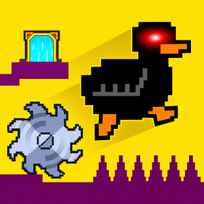


The title promises there is no trolling here, and the very first floor tile proves it is lying. Devil Duck: Not a Troll Game is a pixel art troll platformer where you run a small black duck with a glowing red eye toward an exit portal, while the level itself changes shape to stop you. Floors drop away, blocks turn into spiked enemies, and every death sends the duck straight back to the start of the level.
Main Controls
- Move: A and D or ← and →
- Jump: W or ↑
- Menus, Shop and Pause: Left Click
How It Works
Devil Duck: Not a Troll Game opens on a small menu with Play, Shop and Reset, plus switches for music and sound effects. Each level is a single screen: the duck starts on the left next to a yellow arrow sign, and a glowing blue portal waits on a raised block on the right. Walk into that portal and a shower of coins flies up to the coin counter up top before the next level loads with a new color theme.
The catch is that the route never behaves the way it looks. In the opening level, a stretch of solid ground after the second bump opens into a pit the moment the duck steps on it. In level 2, a harmless looking block floating over a gap turns into a spiked face and drops onto you. Touching a trap restarts the level after a short pause, and after a death the game can show a short clip titled Stuck?! that plays the solution for that level. Buttons for Pause, Shop, Hint and Skip stay in the corners during play.
- Press Play on the menu.
- Walk right with D or the RIGHT ARROW KEY.
- Jump the small bumps with W or the UP ARROW KEY.
- Watch for ground that drops away and jump over it.
- Keep clear of blocks that might come alive.
- Reach the blue portal to finish the level.
- Retry from the start after a trap, now knowing where it is.
What Makes It Stand Out
- Traps hidden in plain sight: Flat ground and floating blocks are often the danger.
- Single screen levels: The whole route, including the exit, is visible from the start.
- Instant restarts: A death puts the duck back at the arrow sign within seconds.
- 5 duck skins: The Shop holds the default duck and 4 locked skins.
- Level based unlocks: New skins open at levels 8, 12, 20 and 29.
- Solution clips: The Stuck?! video shows how a level is meant to be beaten.
Getting Started
- Die once on purpose in Devil Duck: Not a Troll Game. The first run through a level is mostly about finding out where the trap is.
- Jump over suspicious ground. In the first level, the floor between the second bump and the portal is the part that gives way.
- Treat floating blocks as enemies. The block over the gap in level 2 is not a platform.
- Watch the Stuck?! clip. It shows the exact timing the level expects.
Going Further
Devil Duck: Not a Troll Game rewards memory more than reflexes. Each level hides one or two tricks, and once you know where they are, the actual jumps are simple, so the fastest way forward is to treat every death as information. Movement is short and snappy, which means jumping a little early is usually safer than jumping late when a trapdoor is ahead. The skin unlocks give the long run its structure: reaching level 8 opens the first new duck, and the last one in the Shop waits at level 29. Reset on the main menu wipes that progress, so leave it alone unless you want to start over.
Mistakes Worth Avoiding
- Trusting flat ground. The first level drops you into a pit on it.
- Jumping onto floating blocks. They can turn into spiked enemies.
- Rushing straight for the portal. Traps are placed on the obvious path.
- Pressing Reset by accident. It clears your level progress.
Similar Platform Games
Level Devil is the closest match, a troll platformer where floors collapse under you on the way to the exit door. Devil Dash also asks you to spot the danger before your character walks into it, and Vex 8 keeps adding new obstacles and mechanics from one level to the next. For more jumping and dodging, open Platform Games.
Final Thoughts
Royale Gamers built the Devil Duck game around one joke, and it lands because the levels are short enough that dying never stings for long. Patient players who like learning a level by failing it will get the most out of it. Devil Duck: Not a Troll Game online runs on a keyboard, and anyone who hates trial and error should look elsewhere.
FAQs About Devil Duck: Not a Troll Game
What is Devil Duck: Not a Troll Game?
Devil Duck: Not a Troll Game is a pixel art troll platformer. You guide a black duck to a blue exit portal on each level while hidden traps, such as trapdoors and spiked blocks, try to stop it.
How to play Devil Duck: Not a Troll Game?
Move with A and D or the LEFT ARROW KEY and RIGHT ARROW KEY, and jump with W or the UP ARROW KEY. Reach the portal on the right side of each level and jump over ground that looks safe but drops away.
Is Devil Duck: Not a Troll Game really not a troll game?
No. Despite the title, Devil Duck: Not a Troll Game is built on troll traps, such as floors that open into pits and floating blocks that turn into spiked enemies.
How do you unlock new skins in Devil Duck: Not a Troll Game?
New duck skins unlock as you reach new levels. The Shop shows 4 locked skins that open at levels 8, 12, 20 and 29.
What happens when you get stuck in Devil Duck: Not a Troll Game?
After a death, Devil Duck: Not a Troll Game can show a Stuck?! clip that plays the solution for the current level. Hint and Skip buttons also stay in the corner during play.
Can I play Devil Duck: Not a Troll Game on mobile?
Devil Duck: Not a Troll Game is set up for computers on Rocket Games, not for phones or tablets. It is played with the keyboard.