


 2 Player
 Action
 Adventure
 Basketball
 Bike
 Car
 Cooking
 Editor's Choice
 Fight
 Girl
 iO
 Kids
 Multiplayer
 No Ads
 Platform
 Puzzle
 Racing
 Retro
 Shooting
 Skill
 Soccer
 Sports
 Stickman
 Strategy
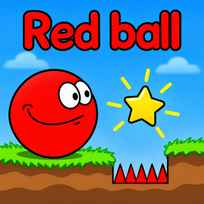


The first level has only 3 signs: one for moving, one for jumping and one pointing at a small red flag that reads "This is the level goal". Between you and that flag sit a gap and a stone block, and the Death counter in the corner is already waiting. Red Ball is a free physics platformer you play in your browser. You roll a smiling red ball through 17 levels of grassy platforms, gaps and obstacles and try to reach the flag at the end of each one.
Main Controls
- Move: LEFT ARROW KEY, RIGHT ARROW KEY, A or D
- Jump: UP ARROW KEY or W
- Navigate menus: MOUSE and LEFT CLICK
How It Works
Red Ball is a physics platformer built on the Box2D engine, so the ball rolls, bounces and keeps its speed like a real ball. The game has 17 levels that unlock one at a time, and level 1, Move and jump, teaches the basics with signs placed right on the course: use LEFT and RIGHT or A and D to move, use UP or W to jump, and roll to the flag to finish.
Each level is a side view course of grassy platforms, gaps and obstacles with a red flag at the end. A Death counter runs in the corner. Falling off a platform adds 1 to the counter and puts the ball back at the start flag, so every mistake costs a little time rather than the whole game. The ball keeps rolling after you let go of a key, which is what makes timing the jumps the real challenge.
- Click Play on the main menu.
- Pick level 1 on the Select level screen.
- Roll right with the RIGHT ARROW KEY or D.
- Jump over the first gap with the UP ARROW KEY or W.
- Get past the stone block with a well timed jump.
- Roll to the red flag to finish the level.
- Open the next number on the Select level screen.
What Makes It Stand Out
- 17 levels: The level screen lays out every stage, and each one unlocks after the last.
- Box2D physics: The ball rolls, bounces and keeps its speed like a real ball.
- Built in tutorial: Signs on the first level explain moving, jumping and the goal.
- Death counter: The counter in the corner keeps an honest record of every fall.
- 2 sets of keys: Arrow keys and W, A, D both work, so either hand position feels natural.
- Quick respawns: A fall sends the ball back to the start flag in a second.
Getting Started
- Read the signs in the first Red Ball level. They show every key you need for the rest of the game.
- Jump a little before the edge. The ball keeps rolling for a moment, so a late jump often ends in the gap.
- Let go of the key to slow down. A short tap is often enough to line up for the next jump.
- Treat the Death counter as practice. Each fall sends you back to the start flag in a second.
Going Further
Red Ball is about momentum. The ball speeds up while you hold a direction and keeps going after you release it, so the best players plan where the ball will stop as much as where it will jump. Tall obstacles like the stone block on level 1 need a short run up, because a jump from a standstill does not reach high enough. The 17 levels add new layouts as you go, and a low Death counter on a finished level is a good sign that the timing has clicked.
Mistakes Worth Avoiding
- Holding the key too long. The ball overshoots small platforms and rolls off the far side.
- Jumping from a standstill. Without speed, the ball cannot clear tall blocks or wide gaps.
- Rolling back without looking. Reversing near a gap is an easy way to add a death.
- Skipping the tutorial signs. They explain the controls once and do not repeat later.
Similar Ball Games
If rolling the red ball was the best part, Red Ball 4 takes the same hero into bigger worlds with square enemies to bounce on. Red Ball Christmas Love puts a red ball hero into a holiday adventure. For platform levels full of tricks, Level Devil changes the floor under your feet when you least expect it, and Vex 6 sends a stickman through spikes, saws and long obstacle runs. More picks are in Ball Games.
Final Thoughts
The Red Ball game is the simple start of a well known physics platformer series, with 17 levels that reward patience and good timing. Playing Red Ball online works best on a computer with a keyboard, since moving and jumping use the ARROW KEYS or W, A and D. Players who want enemies and boss fights will find it plain, but it is a calm and satisfying place to learn how the ball moves.
FAQs About Red Ball
What is Red Ball?
Red Ball is a physics platformer where you roll a red ball across 17 levels. You jump over gaps and obstacles and reach the red flag at the end of each level.
How to play Red Ball?
Move with the LEFT ARROW KEY and RIGHT ARROW KEY or A and D, and jump with the UP ARROW KEY or W. Use the MOUSE to pick levels and open the menus.
How many levels does Red Ball have?
Red Ball has 17 levels on its Select level screen. Only level 1 is open at the start, and each finished level unlocks the next one.
What happens when you fall in Red Ball?
A fall adds 1 to the Death counter in the corner and puts the ball back at the start flag of the level, so you can try again right away.
How do you jump over the stone block in Red Ball?
Back up a little, roll toward the block and press the UP ARROW KEY or W just before you reach it. The ball needs some speed to clear tall obstacles.
Can I play Red Ball on mobile?
Red Ball is a keyboard game made for computers. It plays best in a desktop browser, since moving and jumping use the ARROW KEYS or W, A and D.