


 2 Player
 Action
 Adventure
 Basketball
 Bike
 Car
 Cooking
 Editor's Choice
 Fight
 Girl
 iO
 Kids
 Multiplayer
 No Ads
 Platform
 Puzzle
 Racing
 Retro
 Shooting
 Skill
 Soccer
 Sports
 Stickman
 Strategy
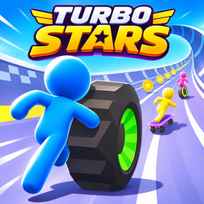


Turbo Stars is a free skateboard racing game you play in your browser. It drops a crowd of stick figure riders onto huge white tubes and half pipes, with loops, ramps and sharp drops between the start and the finish line. You hold to roll, steer through the curves, grab coins and keys on the way down and try to cross the line ahead of every rival.
Key Controls
- Ride: hold Left Click
- Steer: move the Mouse left and right
How It Works
Turbo Stars starts with a short Practice Race on an empty track. A HOLD TO RIDE prompt sits under your rider, and as long as the mouse button stays down the skateboard keeps rolling. The track is shaped like a giant tube, so steering to the side carries you up the curved wall and back down again. A bar at the top shows how far you are from the finish, coins float along the racing line, and a row of key icons in the corner fills up as you collect keys.
After the practice run, the real races begin with a pack of rivals on the same track. Your current place shows under the progress bar during the race, and each finish ends with a result screen. Only a win opens the next track: the game tells you to finish first to unlock it, so second place means racing the same level again. Every finish still pays out gems, and a reward bar fills toward a new character after each race. Items on the track can give you an edge, and riders who get too close can be picked up and thrown out of the way.
- Hold the left mouse button to start riding.
- Move the mouse to steer through the tube.
- Ride up the curved walls to take a better line.
- Collect coins and keys on the track.
- Pass rivals and keep an eye on your place.
- Finish first to unlock the next track.
What Makes It Stand Out
- Tube tracks: Curved walls, loops and half pipes replace flat roads.
- Practice first: A solo Practice Race comes before the first real race.
- Win to advance: The next track opens only after a first place finish.
- 3 key slots: Keys fill a row of 3 icons in the corner of the screen.
- Gem rewards: Each finish pays gems, and second place is worth 15.
- Character unlocks: A reward bar fills toward a new rider after each race.
Getting Started
- Never let go of the button in Turbo Stars. Your rider only rolls while the left mouse button is held down.
- Use the walls. Riding up the side of the tube is often the shortest way around a curve.
- Follow the coins. They usually mark a clean line through the track.
- Treat the practice race as a lesson. It is the only run without rivals in the way.
Going Further
Turbo Stars is built around winning, not just finishing. Second place pays gems but leaves the next track locked, so it pays to replay a level until the line through it feels natural. Coins and keys are worth the small detours, because they go toward new items, new things to ride and gear for your character. The reward bar after each race moves toward a new rider whatever your place, so even a lost race adds progress. Small steering movements work better than big swings, since a wide turn sends the board high up the wall and costs time on the way back down.
Mistakes Worth Avoiding
- Releasing the mouse button. The board stops rolling the moment you let go.
- Oversteering on curves. Big swings throw you high up the wall.
- Settling for second. The next track only opens for the winner.
- Ignoring the keys. They are part of what unlocks new gear.
Similar Racing Games
If the skateboard runs were the best part, Tanuki Sunset sends you downhill on a longboard along winding roads. Obby Space Skateboard puts a skateboard on an obstacle course in space. For a different kind of speed and distance challenge, GunSpin sends a spinning gun flying forward with every shot. More picks are in Racing Games.
Final Thoughts
The Turbo Stars game is a bright, quick racer where steering through giant tubes feels smooth and easy to pick up. Playing Turbo Stars online works on a computer with a mouse or on a touch screen. Players who want deep tricks or long tracks may find the races short, but beating the whole pack to open a new track is very satisfying.
FAQs About Turbo Stars
What is Turbo Stars?
Turbo Stars is a skateboard racing game set on giant tubes, half pipes and loops. You race a pack of rivals, collect coins and keys, and win to unlock new tracks.
How to play Turbo Stars?
Hold the left mouse button to ride and move the mouse left and right to steer. Stay on the best line through the tube and cross the finish ahead of every rival.
How do you unlock new tracks in Turbo Stars?
Turbo Stars opens the next track only when you finish a race in first place. A lower place still pays gems, but the same track has to be raced again.
What do keys and coins do in Turbo Stars?
Coins and keys in Turbo Stars go toward new items, including new things to ride and gear for your character. Keys fill a row of 3 icons in the corner of the screen during a race.
How do you get new characters in Turbo Stars?
Turbo Stars fills a reward bar toward a new character after each race. The bar moves forward whatever place you finish in.
Can I play Turbo Stars on mobile?
Yes. Turbo Stars runs in mobile browsers on phones and tablets, with touch controls in place of the mouse. On a computer, the left mouse button and the mouse do the same job.