


 2 Player
 Action
 Adventure
 Basketball
 Bike
Bike Car
Car Cooking
 Editor's Choice
 Fight
Fight Girl
Girl iO
iO Kids
Kids Multiplayer
 No Ads
 Platform
 Puzzle
 Racing
 Retro
Retro Shooting
 Skill
Skill Soccer
 Sports
 Stickman
 Strategy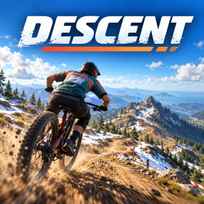


The fastest line down a mountain is rarely the one that feels fastest. Grabbing the brakes in the middle of a berm costs more time than slowing down early, and a clean pump over a roller can beat any amount of pedaling. Descent is a free downhill mountain bike game you play in your browser. You race a single long trail against the clock, split by split, with a bike that reacts to grip, weight and suspension like the real thing.
Key Controls
- Steer and lean into turns: A / D or LEFT / RIGHT ARROW
- Shift weight forward and back: W / S or UP / DOWN ARROW
- Front brake: J
- Rear brake: K
- Pedal: SHIFT
- Pump: SPACE (hold through the dip, release over the crest)
- Manual: M
- Roll and whip in the air: Q / E
- Reset to checkpoint: R
- Change camera: C
- Pause: ESC
How It Works
Descent drops you at the top of a single mountain trail, about 2.6 km long according to the start banner. The route mixes berms, rock gardens, root sections and jump lines before a final sprint to the finish, and each stretch has its own name, such as Rooty Steeps. The screen shows your run time, your best time, the grade of the slope, your speed and how far along the trail you are.
The bike is simulated rather than scripted. Suspension, grip on each wheel and weight transfer all change how it behaves, so leaning, braking and pumping at the right moment matter more than holding the pedal key. Crashes cost seconds instead of ending the run, and you can reset to the last checkpoint and keep going.
- Choose Start Run for a timed race or Free Ride to explore.
- Steer with A and D and shift your weight with W and S.
- Brake with J and K before a corner, then lean through it.
- Hold Space through dips and release it over crests to gain speed.
- Pedal with Shift out of flat corners.
- Cross the finish line and compare each split with your best time.
What Makes It Stand Out
- 8 splits on 1 clock: Start Run times the whole trail in 8 splits, so you see exactly where you gain or lose time.
- Separate front and rear brakes: The front brake is analog and made for fine control, while locking the rear lets you scrub speed or drift.
- Real bike physics: Suspension, wheel grip and load transfer react to every bump and landing.
- 3 camera views: Switch between chase, wide and first person with C.
- Free Ride mode: Explore the hillside with no timer when you want to learn the trail.
- Photo mode and gamepad support: Press F to hide the interface, or plug in a controller with analog brakes.
Getting Started
- Learn the trail in Descent with Free Ride first. Knowing where the rock gardens and jumps are makes timed runs much faster.
- Brake before corners, not inside them. Dragging the brakes through a berm kills the speed you need on the exit.
- Pump instead of pedaling. Space on the backside of rollers adds speed without pedaling on steep sections.
- Use the checkpoint reset. After a bad crash, R puts you back on the trail faster than recovering by hand.
Going Further
Descent is a game of small margins once you know the trail. The split timer shows which sections cost you time, so the smart move is to replay the run and fix 1 stretch at a time. Faster riders save the rear brake for quick scrubs and use weight shifts to keep the front wheel planted in rock gardens. Progression is all about your personal best: the default trail is the ranked one, and only runs on it count for the leaderboard. Rider Kit adds a cosmetic layer, letting you swap the rider's colors, with the next kit unlocked by watching an ad.
Mistakes Worth Avoiding
- Holding the pedal key everywhere. On steep ground, pedaling adds little compared with pumping and clean lines.
- Ignoring the split times. The split delta shows exactly where a run went wrong, so fix that section first.
- Landing jumps nose high. Shift your weight forward in the air with W so the bike lands level.
- Restarting after every mistake. A crash only costs seconds, and finishing the run still teaches the trail.
Similar Bike Games
If downhill speed is what hooked you, Downhill Mayhem turns mountain biking into an arcade race with tricks and rivals across 4 courses. Riders Downhill Racing mixes racing and freestyle on rugged trails. For a different kind of mountain riding, MX Offroad Mountain Bike sends you along trails lined with cliffs. More picks are in Bike Games.
Final Thoughts
The Descent game is a realistic downhill ride with simulated suspension and grip, built around a single trail that rewards practice. Playing Descent online works best with a keyboard or a controller, since there are many inputs to learn. Players who want arcade tricks and many tracks may find the focus on 1 mountain too narrow.
FAQs About Descent
What is Descent?
Descent is a downhill mountain bike time trial published by GamePush. You race a single long mountain trail against the clock with a bike that simulates suspension, grip and weight transfer.
How to play Descent?
Steer with A and D, shift your weight with W and S, and use J and K for the front and rear brakes. Pump with Space, pedal with Shift and reach the finish as fast as you can.
Can I play Descent on mobile?
No. Descent is made for desktop browsers and is played with a keyboard or a gamepad. Phones and tablets are not supported.
What game modes are in Descent?
Descent has 2 modes. Start Run is a timed descent with 8 splits and your personal best on the line, while Free Ride lets you explore the hillside with no clock.
Can I use a controller in Descent?
Yes. Descent supports gamepads, and the brakes and triggers are analog for finer control. The controls menu lists every button for keyboard and gamepad.
What happens when you crash in Descent?
A crash in Descent costs seconds, not the whole run. You can press R to reset to the last checkpoint and keep racing to the finish.