


 2 Player
 Action
 Adventure
 Basketball
 Bike
 Car
 Cooking
 Editor's Choice
 Fight
 Girl
 iO
 Kids
 Multiplayer
 No Ads
 Platform
 Puzzle
 Racing
 Retro
 Shooting
 Skill
 Soccer
 Sports
 Stickman
 Strategy
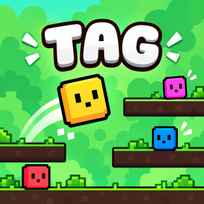


4 little squares drop onto the platforms, a timer starts counting down from 200 and a white arrow appears over one of them. That square is it, and everyone else wants to stay far away. Tag is a free tag game you play in your browser with 2 to 4 players on one computer. You chase, jump and dodge across pixel maps, pass the arrow on with a touch and try not to be caught holding it when time runs out.
Key Controls
- Player 1 (red): W / A / S / D
- Player 2 (blue): ARROW KEYS
- Player 3 (yellow): T / F / G / H
- Player 4 (pink): I / J / K / L
- Jump: the up key of your set (W, UP ARROW, T or I)
- Menu: ARROW KEYS to move and change options, SPACE to confirm
- Gamepads also work for joining and playing
How It Works
Tag starts on a lobby screen with 4 empty slots. Each player presses a key from their own set to join, and the slot lights up in their color. Once at least 2 players are in, the menu below lets you choose the map, the timer and the extra rules before you press Start.
One player begins as the tagger, marked by the arrow above their head. Running into another player shouts TAG! and passes the arrow on. The new tagger has to wait through a short 3 second countdown before moving again, which gives everyone else a moment to escape. The big timer at the top keeps falling the whole time, and when it hits zero the game ends with whoever still has the arrow left as the loser of the round.
- Each player presses a key from their set to join.
- Pick a map, a timer and any extra rules.
- Press Start and see who begins as the tagger.
- Run, jump and drop between platforms to stay away from the arrow.
- If you are it, chase someone down and touch them.
- Make sure the arrow is on someone else when the timer reaches zero.
What Makes It Stand Out
- 2 to 4 players on 1 device: Everyone gets their own set of keys, so nobody needs a second screen.
- 9 maps plus Random: Maps A to I each have their own layout of ledges, walls and floors.
- 3 timer lengths: Rounds of 100, 200 or 300 seconds fit a quick game or a long one.
- Extra rules: Turn on Double Jump, Player Collision or Random Platforms to change how a round plays.
- Fair handovers: The 3 second freeze after every tag stops instant tag backs.
- Clean pixel style: Bright colored squares and a camera that follows the action keep everyone easy to spot.
Getting Started
- Start Tag with 2 players. A 1 on 1 round is the easiest way to learn the jumps and the map.
- Use the freeze. When you pass the arrow on, use those 3 seconds to put a platform between you and the new tagger.
- Try the 100 second timer. Short rounds are perfect for learning and for quick rematches.
- Turn on Double Jump for younger players. It makes the higher ledges much easier to reach.
Going Further
Tag changes a lot with the menu options. Player Collision lets players bump into each other instead of passing through, which makes tight corners much more dangerous. Random Platforms shakes up the layout so nobody can rely on a favorite hiding spot. With 4 players the game turns into chaos, because the tagger always has several targets and the arrow can change hands many times in a few seconds. The game itself recommends 2 keyboards or gamepads for 4 player rounds, since many keyboards cannot read lots of keys pressed at once.
Mistakes Worth Avoiding
- Hiding in a dead end. A corner with only 1 way out is where most tags happen.
- Staying close after a tag. The freeze is short, so get moving right away.
- Forgetting the timer. Holding the arrow in the last few seconds loses the round.
- Crowding 4 players on 1 keyboard. Pressed keys can get lost, so use a second keyboard or a gamepad.
Similar 2 Player Games
If chasing your friends is the best part, Tag Online: Bomb 3D turns tag into a 3D race to pass a ticking bomb. Tag Run mixes the chase with bombs and power ups across bigger maps. Poor Bunny is a single screen arcade game where you collect carrots and dodge traps alone or with a friend. More picks are in 2 Player Games.
Final Thoughts
The Tag game is the playground classic made for a shared keyboard, with 9 maps, adjustable timers and simple rules anyone can learn in a minute. Playing Tag online works best on a computer with a keyboard or gamepads. Players looking for a solo mode or online matches against strangers should know that every round needs at least 2 people on the same device.
FAQs About Tag
What is Tag?
Tag is a 2 to 4 player version of the playground game. One player is it, marked by an arrow, and has to touch someone else to pass it on before the timer runs out.
How do you play Tag with 2 players?
Player 1 moves with W, A, S and D, and Player 2 uses the arrow keys. Each player presses a key from their set to join, then the menu is controlled with the arrow keys and Space.
How many players can play Tag?
Up to 4 players can play on one computer. Players 3 and 4 use T, F, G, H and I, J, K, L, and gamepads also work. For 4 players, 2 keyboards or gamepads work best.
How do you win in Tag?
Stay away from the tagger and make sure the arrow is on someone else when the timer reaches zero. Whoever is still it when time runs out loses the round.
What options does Tag have?
You can choose from 9 maps or a random one, set the timer to 100, 200 or 300 seconds and turn on Double Jump, Player Collision or Random Platforms.
Can you play Tag alone or on mobile?
No. Tag has no computer opponents, so every round needs at least 2 players. It is made for a keyboard or gamepads, so it does not work with touch controls.