


 2 Player
 Action
 Adventure
 Basketball
 Bike
 Car
 Cooking
 Editor's Choice
 Fight
 Girl
 iO
 Kids
 Multiplayer
 No Ads
 Platform
 Puzzle
 Racing
 Retro
 Shooting
 Skill
 Soccer
 Sports
 Stickman
 Strategy
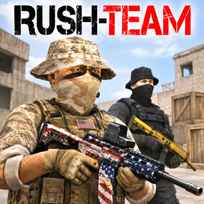


Rush Team is a free multiplayer FPS game you play in your browser. It drops you into team matches against real players on servers around the world, with rooms, maps and game modes picked from a lobby before every fight. You can jump in as a guest, join a room in progress and start trading shots with the other team in seconds.
Key Controls
- Move: W, A, S, D
- Aim and shoot: MOUSE and LEFT CLICK
- Scope: RIGHT CLICK
- Jump and crouch: SPACE and C
- Switch weapon: 1 to 5
How It Works
Rush Team starts on a login screen where you can sign in, create an account or press Play As Guest. Next comes a world map of servers, including Europe, USA East, USA West, Canada, Brazil, Russia, Turkey, India, Asia, South Africa and Australia, each showing how many players are online. Picking a server opens the lobby, with your player information, a room list, a lobby chat and the players currently connected. The room list shows each room's map, map variant, game type, player count and objective, and you can filter it by map or hide big head and password rooms.
Joining a room drops you into a match already running. A Team Flag Match, for example, splits players into Team 1 and Team 2 and asks you to capture the enemy flag, with a team score, a target of 50 and a countdown timer across the top of the screen. The scoreboard tracks every player's kills, deaths and ping, and your own headshots, K/D ratio and assists sit at the bottom. The lobby menu also leads to Create Room, Inventory, Character and Options, so you can set up your own match or change how your soldier looks.
- Press Play As Guest or log in.
- Choose a server with players online.
- Pick a room from the room list and press Join.
- Select your team.
- Move with W, A, S, D and aim with the mouse.
- Shoot with LEFT CLICK and scope with RIGHT CLICK.
- Complete the room's objective before the timer ends.
What Makes It Stand Out
- Worldwide servers: 11 regions to choose from on the server map.
- Guest play: Play As Guest skips the account screen.
- Room browser: Map, variant, game type, players and objective for every room.
- Custom rooms: Create Room lets you host your own match.
- Team Flag Match: Capture the enemy flag to reach the target score.
- Full scoreboard: Kills, deaths, ping, headshots, assists and K/D ratio.
Getting Started
- Check the player counts in Rush Team. The busiest server fills rooms fastest.
- Try a room before making one. Joining a match in progress is the quickest way to learn the maps.
- Watch the objective column. It shows the target score before you join.
- Use the scope for distance. RIGHT CLICK steadies long shots across open ground.
Going Further
Rush Team rewards playing the objective as much as aiming well. In Team Flag Match, kills keep the enemy busy, but flag captures move the team score toward the target, so a player who sneaks around the side can matter more than one who camps. Ping matters too, since a server far away adds delay to every shot, and the room list shows ping before you join. The Featured Mode panel in the lobby points to the mode of the moment with a small bonus, and Inventory and Character are where your look and gear change between matches.
Mistakes Worth Avoiding
- Joining an empty server. Rooms only fill where players are online.
- Ignoring ping. A high ping room makes every shot late.
- Chasing kills only. The flag decides Team Flag Match.
- Running in the open. Crouch and cover keep you alive longer.
Similar FPS Games
If the team fights were the best part, Shell Shockers is a fast online shooter with a funny egg twist. Deadshot.io keeps the focus on quick multiplayer gunfights. For more browser shooters, Ev.io and Cryzen io are worth a try. More picks are in FPS Games.
Final Thoughts
The Rush Team game is a classic team shooter with a full server list, a real lobby and matches you can join as a guest. Playing Rush Team online works best on a computer with a keyboard and mouse. Players who want a busy server at every hour may find some regions empty, but a full Team Flag Match on a good server is a proper browser FPS.
FAQs About Rush Team
What is Rush Team?
Rush Team is a multiplayer FPS game played in team matches on online servers. You pick a server and a room in the lobby, join a team and play modes such as Team Flag Match.
How to play Rush Team?
Move with W, A, S, D, aim with the mouse, shoot with LEFT CLICK and scope with RIGHT CLICK. Jump with SPACE, crouch with C and switch weapons with 1 to 5.
Do I need an account to play Rush Team?
No. Rush Team has a Play As Guest button on the login screen. An account is only needed if you want to log in with your own name.
What servers does Rush Team have?
Rush Team lists 11 server regions, including Europe, USA East, USA West, Canada, Brazil, Russia, Turkey, India, Asia, South Africa and Australia. Each one shows how many players are online.
What is Team Flag Match in Rush Team?
Team Flag Match in Rush Team splits players into 2 teams that try to capture the enemy flag. The first team to reach the target score, such as 50, wins before the timer runs out.
Can I play Rush Team on mobile?
Rush Team is set up for computers on Rocket Games, not for phones or tablets. It needs a keyboard and mouse to move, aim and shoot.