


 2 Player
 Action
 Adventure
 Basketball
 Bike
 Car
 Cooking
 Editor's Choice
 Fight
 Girl
 iO
 Kids
 Multiplayer
 No Ads
 Platform
 Puzzle
 Racing
 Retro
 Shooting
 Skill
 Soccer
 Sports
 Stickman
 Strategy
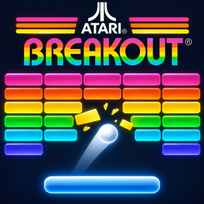


Atari Breakout brings back the paddle, the ball and the rainbow wall of bricks that defined an entire genre, this time with a few twists the 1976 arcade cabinet never had. It is a brick breaker where you slide a paddle along the bottom of the screen, bounce the ball into the wall and chip away at the rows until nothing is left, choosing between 5 modes that add a second paddle, trapped balls or a wall that creeps toward you.
Main Controls
- Move the paddle: Mouse, ↑↓←→ or A, D
- Launch the ball: Left Click or Space
How It Works
Atari Breakout opens on a rainbow title screen with a small mode picker under the words Click to Start, and the fine print confirms this is a licensed release of the original. The classic 1 Ball mode builds a wall of 8 colored rows, 13 bricks wide, running from pink at the top through red, orange, yellow, green, blue and purple down to cyan. Above it sit your score, the balls you have left, starting at 3, and the level number.
We started with 1 Ball and learned quickly that the ball moves faster than it looks. After the launch it drops in from the middle of the screen at an angle, and the paddle only saves it if you are already moving. Our first full run chewed through most of the cyan row and dented the purple and blue rows above it for 27 points before the last ball slipped past, and the game ended on a Game Over banner followed by a high score table that asks for 3 initials, arcade style. The other modes change the wall more than the rules: 2 Balls gives you a second paddle stacked above the first, Cavity hides 2 extra balls in pockets cut into the wall, and Progressive splits the bricks into 2 bands that move down over time.
- Pick a mode with the arrows on the title screen.
- Click to start the level.
- Click or press SPACE to launch the ball.
- Slide the paddle with the mouse or the ARROW KEYS to keep the ball in play.
- Break every brick in the wall to clear the level.
- Enter your initials on the high score table when your last ball is gone.
What Makes It Stand Out
- An official release: The title screen carries the original 1976 Breakout copyright.
- 5 modes: 1 Ball, 2 Balls, Cavity, Progressive and Random each set up the wall differently.
- 2 paddles at once: The 2 Balls and Cavity modes stack a second paddle above the first.
- Trapped balls: Cavity seals extra balls inside the wall until you break them out.
- A sinking wall: Progressive moves the bricks down toward your paddle over time.
- Arcade high scores: Finished runs end with a table and 3 letter initials.
Getting Started
- Keep the paddle under the ball early in Atari Breakout. The ball enters from the middle of the screen, so a paddle parked in the center is already in position for the first bounce.
- Aim for a tunnel at the edge. Once the ball breaks through to the space above the wall, it bounces between the bricks and the ceiling and clears rows without any help from you.
- Launch only when you are ready. The ball waits for your click or SPACE after every lost life, so take a second to center the paddle first.
- Try 1 Ball before the other modes. The single paddle makes it easier to learn the speed of the ball before 2 paddles split your attention, which is how we would start anyone new to Atari Breakout online.
Going Further
Score is the only currency in the Atari Breakout game, so every mode becomes a chase for a better line on the high score table. Cavity is the most rewarding mode for patient players, because freeing the trapped balls puts several in play at once and breaks bricks much faster. Progressive turns the game into a race against the wall, since the lower band of bricks gets closer to the paddles the longer a level drags on. The 2 paddle modes take practice, because the stacked paddles give the ball 2 chances to bounce but also 2 surfaces to keep track of. Random is the easiest way to keep runs varied once the other modes feel familiar.
Mistakes Worth Avoiding
- Chasing the ball too late. It falls faster than it looks.
- Launching in a hurry. A rushed serve costs a ball early.
- Ignoring the cavities. Freed balls break bricks for you.
- Letting Progressive stall. The wall keeps sinking while you wait.
Similar Retro Games
From the same classic catalog, Atari Missile has you protect your cities from waves of incoming missiles. Idle Breakout takes the brick wall in a different direction, with numbered bricks and balls you buy and upgrade instead of a paddle. For a paddle duel against a friend, Retro Ping Pong keeps the simple 2 paddle look of early arcade games. More classics live in Retro Games.
Final Thoughts
The pleasure here is the same as it was decades ago: one more ball, one more row, one more try at the cyan bricks. Modern touches stop at the extra modes, so anyone expecting power ups, lasers or a story will find this version very plain.
FAQs About Atari Breakout
What is Atari Breakout?
Atari Breakout is a licensed version of the 1976 brick breaker. You move a paddle along the bottom of the screen and bounce a ball into a wall of colored bricks until every brick is gone.
How to play Atari Breakout?
Move the paddle with the mouse, the ARROW KEYS or A and D, and launch the ball with LEFT CLICK or SPACE. Keep the ball in play and break every brick to clear the level.
What modes does Atari Breakout have?
Atari Breakout has 5 modes: 1 Ball, 2 Balls, Cavity, Progressive and Random. They add a second paddle, balls trapped inside the wall or a wall that moves down toward you.
How many lives do you get in Atari Breakout?
You start each game of Atari Breakout with 3 balls, shown at the top of the screen. The game ends when the last ball gets past your paddle.
What is Cavity mode in Atari Breakout?
Cavity mode in Atari Breakout gives you 2 paddles and one ball in play, while extra balls sit trapped in pockets inside the wall. Breaking the bricks around them sets them free.
Can I play Atari Breakout on mobile?
Yes. Atari Breakout supports phones and tablets in landscape, and on a computer you can use the mouse or the keyboard.