


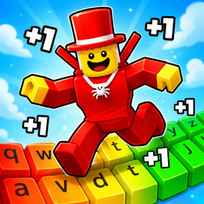




Obby: +1 Keyboard Speed Escape is a new fast-paced escape game that takes place on a large keyboard. This is an escape game that uses a giant keyboard to make the fastest parkour course possible. Each time you jump to a key, you get faster and faster. As your speed increases, you'll have to jump further and navigate tighter spaces. The design style is Roblox, which makes the game feel familiar, but the real challenge is to maintain control at higher speeds.
Main Controls
- Move: W, A, S, D or ARROW KEYS
- Jump: SPACE
- Camera Movement: MOUSE
Overall Game Overview
Obby: +1 Keyboard Speed Escape is an obstacle course designed specifically for speed and based in a colorful keyboard world. The basic idea is to grow your speed by running. Your increased speed allows you to reach farther jumps and access to harder sections of the course. However, your increased speed creates additional challenges when trying to complete tight turns, land safely, and navigate narrower pathways.
Parkour Movement and Increasing Progression
The course provides opportunities for parkour-type movement and increasing difficulty as you progress. Once you've completed the course once, you can train, collect rewards, increase your speed, and go back out on the course with improved skills. There are several other types of games such as treadmill, multiplier, race, ASMR key sounds, or specific keyboard themes for each attempt to give you a feeling of accomplishment.
While there's a Roblox-style aesthetic, the best way to describe it would be as a browser-obbie adventure. The gameplay involves running across a large keyboard course with platforms and hazards; recognizing what's coming up ahead; and remaining steady when your character is traveling much faster than normal.
Additional Key Elements of Gameplay
- Run across a giant keyboard course filled with platforms and hazards.
- Increase your speed as you move, and use the speed to clear longer jumps.
- Train/upgrade to improve future runs.
- Be aware of potential hazards (traps/gaps/moving obstacles/sharp turns) that come as you progress through escape sections requiring precise timing and control.
Suggested Tips for Beginners
- Learn to steer your character before developing excessive speed.
- Keep the camera looking directly ahead so you can view the upcoming keys and obstacles.
- Jump earlier when your speed begins to rise, since gaps appear sooner.
- Use the practice areas or lower level routes prior to attempting any areas that seem overly quick.
Tips for Intermediate-Level Players
- Utilize small steering inputs at high speeds to prevent slipping off narrow platforms.
- Build up your speed before making long jumps and reduce your directional input speed just before landing.
- When possible, weigh greater gains in speed against better control in terms of avoiding obstacles.
- Study the layouts and patterns of obstacles before taking on a full-speed run.
Common Errors Made by Novice Players
- Rushing into challenging parts of the course without initially comprehending the general layout.
- Overcompensating for movement after achieving greater speeds resulting in losing footing from platforms.
- Neglecting training/upgrading options that could greatly aid in your ability to progress.
- Treating all jumps similarly despite the fact that your increased speed affects their optimal timing.
Answers to Frequently Asked Questions
What is Obby: +1 Keyboard Speed Escape?
Obby: +1 Keyboard Speed Escape is a fast-paced speed obby centered around a giant keyboard where players run across giant keys to achieve speed, evade obstacles, and seek escape via parkour-style levels.
How do I play Obby: +1 Keyboard Speed Escape?
You need to move through the course; jump over gaps; avoid hazards; and always aim your camera directly at the area ahead. Once your speed increases, focus on creating smoother turns and jumping at an earlier point.
How does the +1 speed mechanism function?
The +1 speed mechanism means that your character will travel faster as you continue to move. Increased speed can allow you to reach farther jumps or traverse harder segments of the course. Nevertheless, increased speed adds additional difficulty when turning, landing safely, or navigating thinner pathways.
Is Obby: +1 Keyboard Speed Escape a Roblox game?
It is most accurately described as an obby with a Roblox-style aesthetic. Although there are many keyboard-based escape type experiences found within Roblox itself, this version should never be assumed to be an actual Roblox title until officially stated otherwise.
What is unique about the keyboard theme?
Large keys; typing sounds; platformed routes create an interactive keyboard environment where the visual elements serve as part of the parkour challenge.
What would be the ideal approach for beginner players?
Practice first; learn the early jumps; and avoid utilizing maximum speed in the narrowest parts of the course. It is far safer to gradually develop your skills rather than rush and restart repeatedly.
Final Thoughts
The success of Obby: +1 Keyboard Speed Escape lies in its ability to convert movement growth into both a challenge and a reward. While having more speed is exhilarating, it requires better timing; more consistent landing techniques; and more deliberate control of your camera. Overall, Obby: +1 Keyboard Speed Escape offers an enjoyable alternative for those seeking more rapid obbys; Roblox-style visuals; or parkour progression.
Other Obby Games Similar to Obby: +1 Keyboard Speed Escape
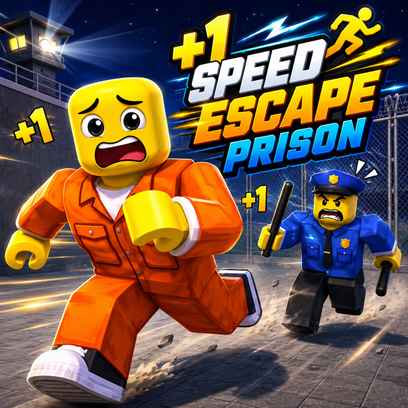
For fans of rapid-paced obstacle courses, consider Robby: The Speed Maze as another fast paced challenge that builds upon training and maze movement. For fans of rapid-paced obstacle courses with a similar escalating progression model of escaping from confinement (prison), consider +1 Speed: Escape Prison as a great sequel. Finally, for fans of school-based parkour courses that utilize a similar model of rapidly increasing player speed in pursuit of escape, consider +1 Speed: Escape School as another good option.